Skip to content
For MacZooms, captions, voiceover. Done.

Look like you hired an editor.

Record your screen once. Your clicks become smooth zooms, and voiceover and captions are added automatically. It looks finished the moment you hit stop.

Get Cinepio

One-time paymentLifetime accessFree updates
Cinepio
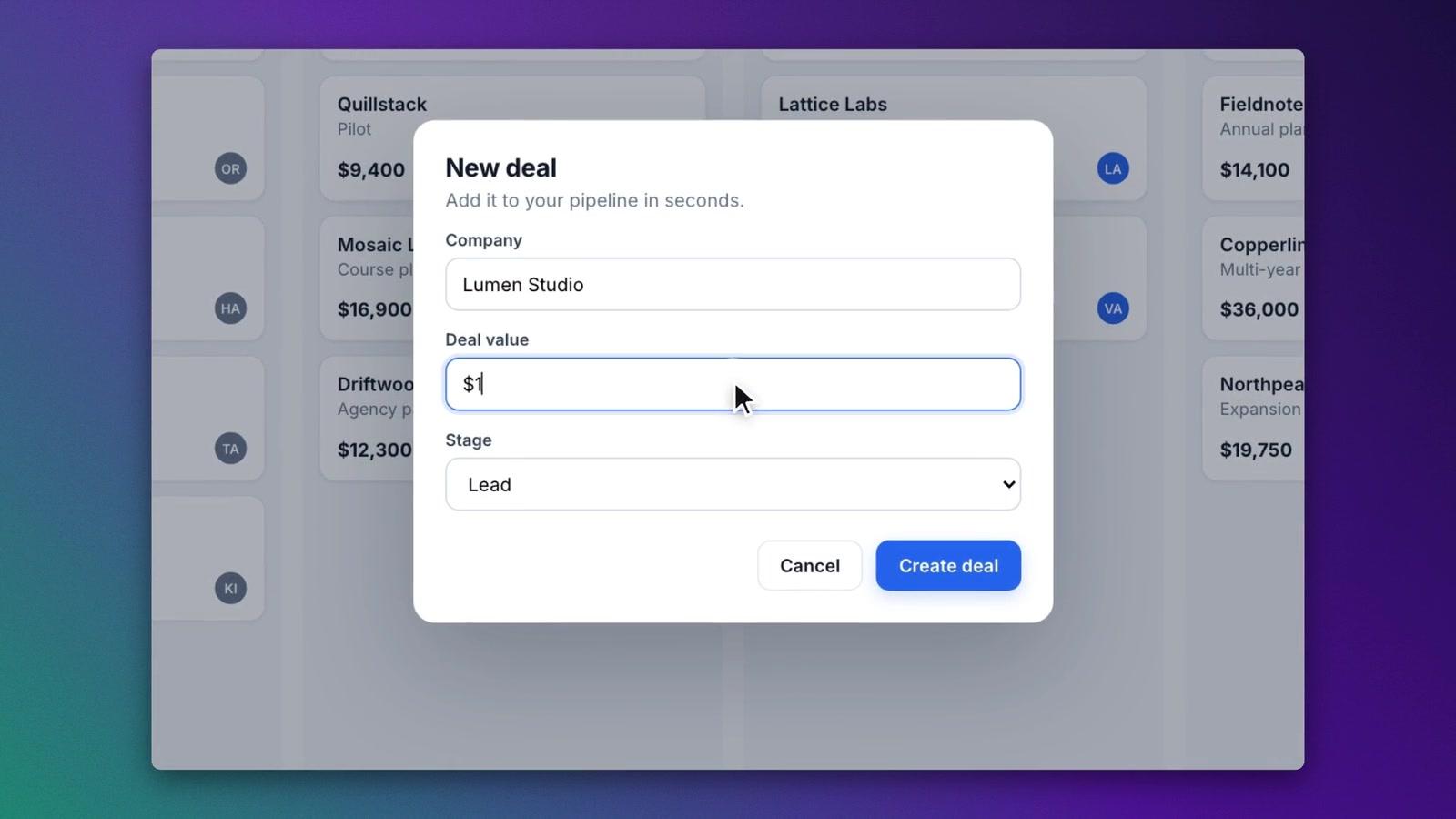
A Cinepio recording with smooth zooms, a webcam bubble and captions, ready to share
Crisp, sharp exports
4KCrisp, sharp exports
Watermarks, ever
0Watermarks, ever
Natural AI voices
37Natural AI voices
Pay once, yours forever
$49Pay once, yours forever

Made for

  • YouTubers
  • Course creators
  • Coaches
  • Educators
  • SaaS founders
  • Agencies
  • Sales and support teams

Why Cinepio

Record once. It's already edited.

The polish that used to take an afternoon now happens on its own.

Look professional instantly

Every video looks like an editor worked on it. You just hit record.

  • Smooth zooms on every click
  • Beautiful backgrounds in one click

Save hours on every video

Skip the editing session. Record, check it over and share.

  • Captions written for you
  • Voiceover from a typed script

Publish anywhere

YouTube, courses, socials and sales pages from one recording.

  • Widescreen, vertical and square
  • Crisp 4K with no watermark

How it works

Record. Cinepio edits. Share.

No learning curve. If you can record your screen, you can make a pro video.

  1. 1

    Record

    Hit record and walk through your screen like you normally would.

  2. 2

    Cinepio edits

    Zooms, captions, a clean background and smooth cursor are added for you.

  3. 3

    Share

    Export a crisp video and post it anywhere. No watermark.

Who it's for

Made for people who explain things on screen.

If you teach, sell or show how something works, Cinepio makes it look great.

  • YouTube creators

    Publish polished videos every week without an editor.

    • Tutorials that keep viewers watching
    • Vertical clips for Shorts from the same recording
  • Course creators

    Lessons that look premium, so students trust what they paid for.

    • Lesson videos without a video editor
    • Captions so every step is easy to follow
  • Coaches and consultants

    Show your expertise with videos that look as good as your advice.

    • Client walkthroughs that feel personal
    • Lead magnets and training videos in minutes
  • SaaS founders and product marketers

    Product demos that make your app look as good as it is.

    • Launch videos for your sales page
    • Feature updates your users actually watch
  • Agencies and freelancers

    Deliver more client videos in less time, with a consistent look.

    • Client reports and handover videos
    • Your brand or theirs on every video
  • Support and sales teams

    Answer once on video and save hours of back and forth.

    • How-to videos that close tickets faster
    • Personal demos that win more deals

Features

Everything a great video needs. Done for you.

You focus on what you're teaching or selling. Cinepio handles the rest.

01Auto-zoom

Viewers always see what matters.

Every click turns into a smooth zoom, so nobody has to squint or hunt.
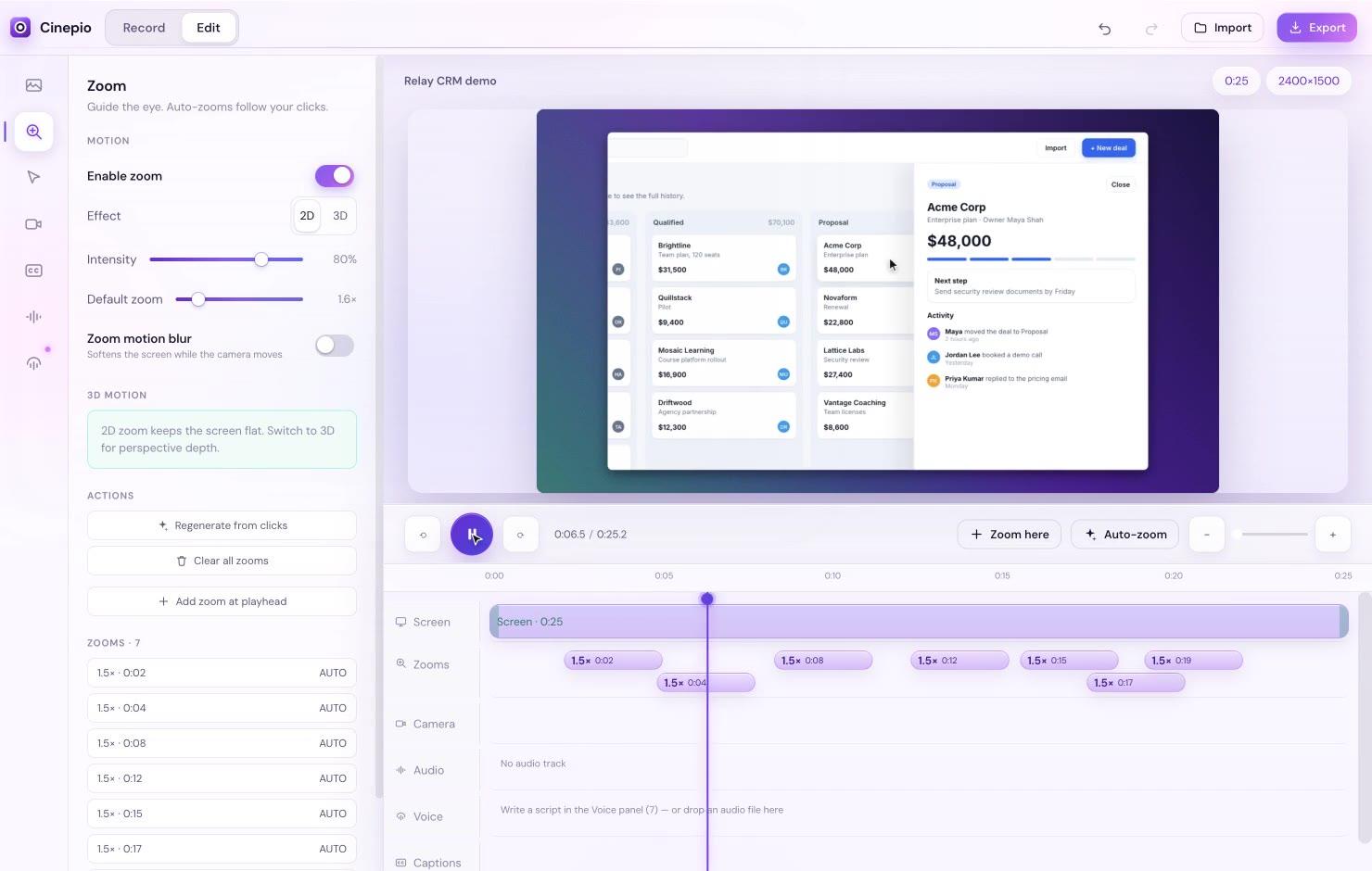
  • Zooms happen on their own as you click
  • A smooth, steady cursor that looks calm
  • Change or remove any zoom in a second
Cinepio: Auto-zoom
Clicks in a recording turning into smooth zooms

02AI voiceover

Don't like your voice? Type it instead.

Pick from 37 natural English voices, or clone your own from a short recording.
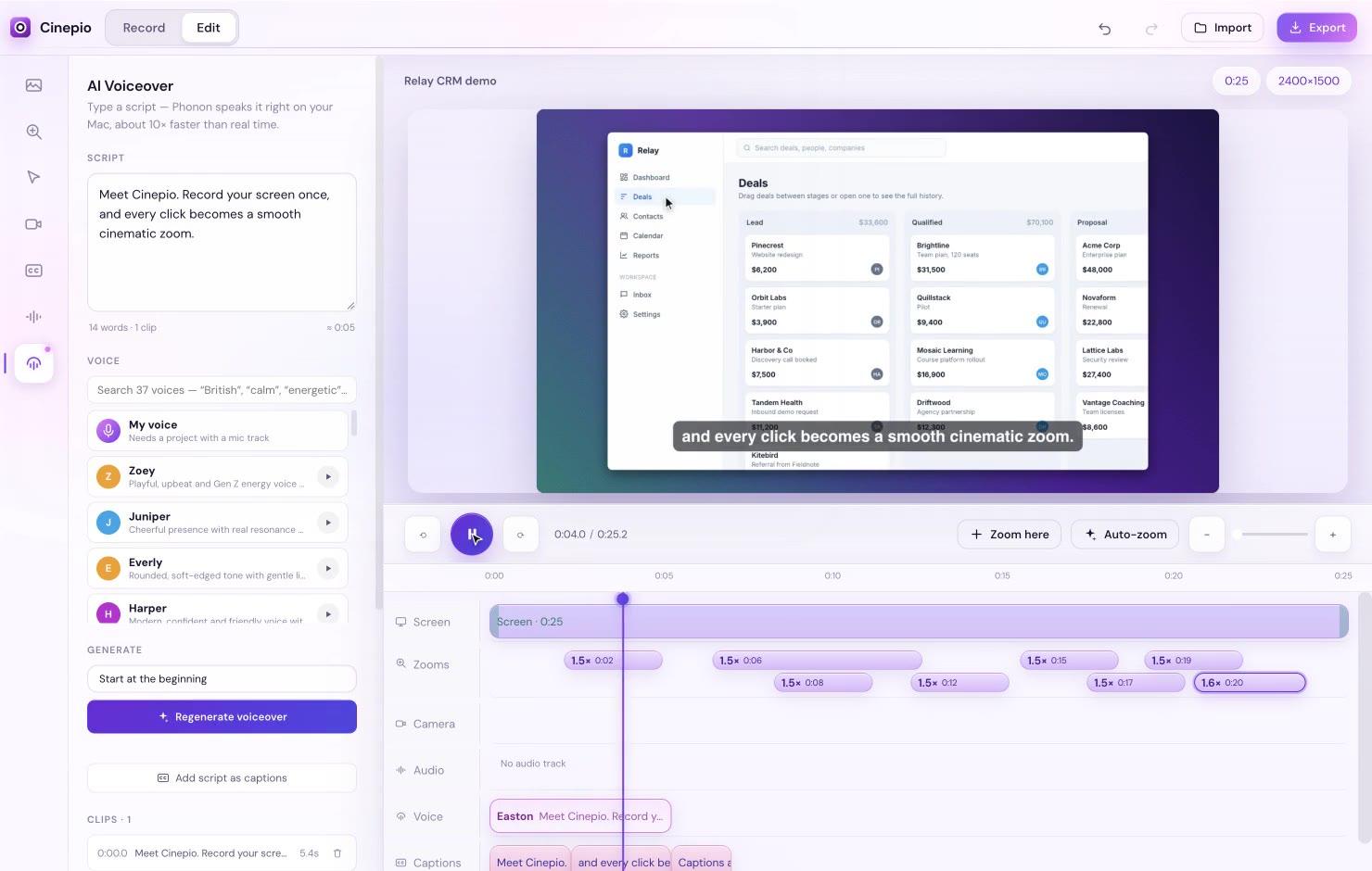
  • Sounds like a real narrator, not a robot
  • Or clone your own voice and keep it personal
  • Fix a line by editing text, not re-recording
Cinepio: AI voiceover
Typing a script in Cinepio and a natural voiceover being added to the video

03Studio look

Studio look in one click.

Beautiful backgrounds, soft shadows and rounded corners, ready for any platform.
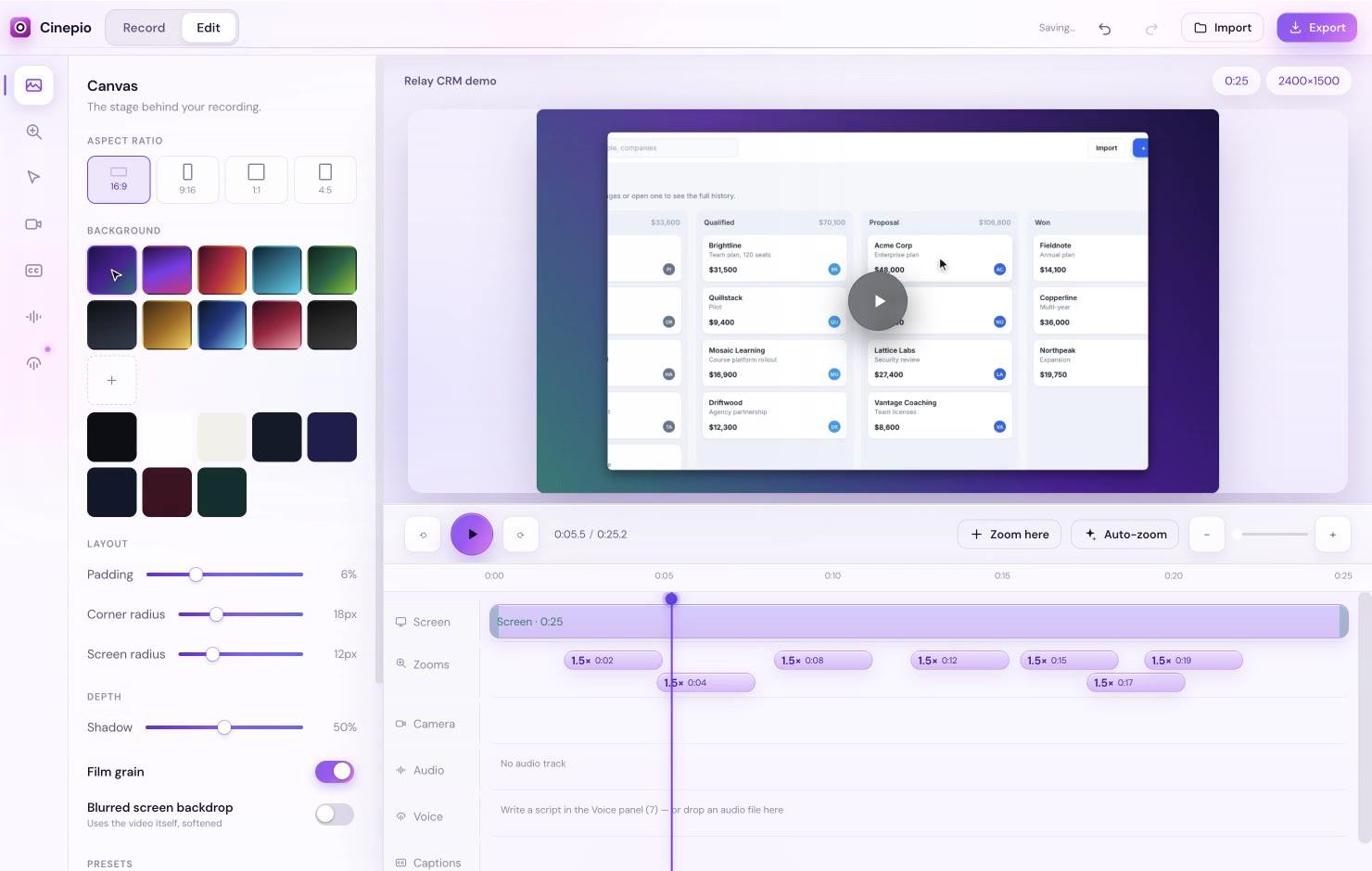
  • Widescreen, vertical, square and portrait sizes
  • Webcam bubble with the background removed
  • Save your brand look and reuse it every time
Cinepio: Studio look
Switching backgrounds and video sizes in Cinepio

04Easy editing

Tweak anything in seconds.

Drag things around and they snap neatly into place. No editing skills needed.
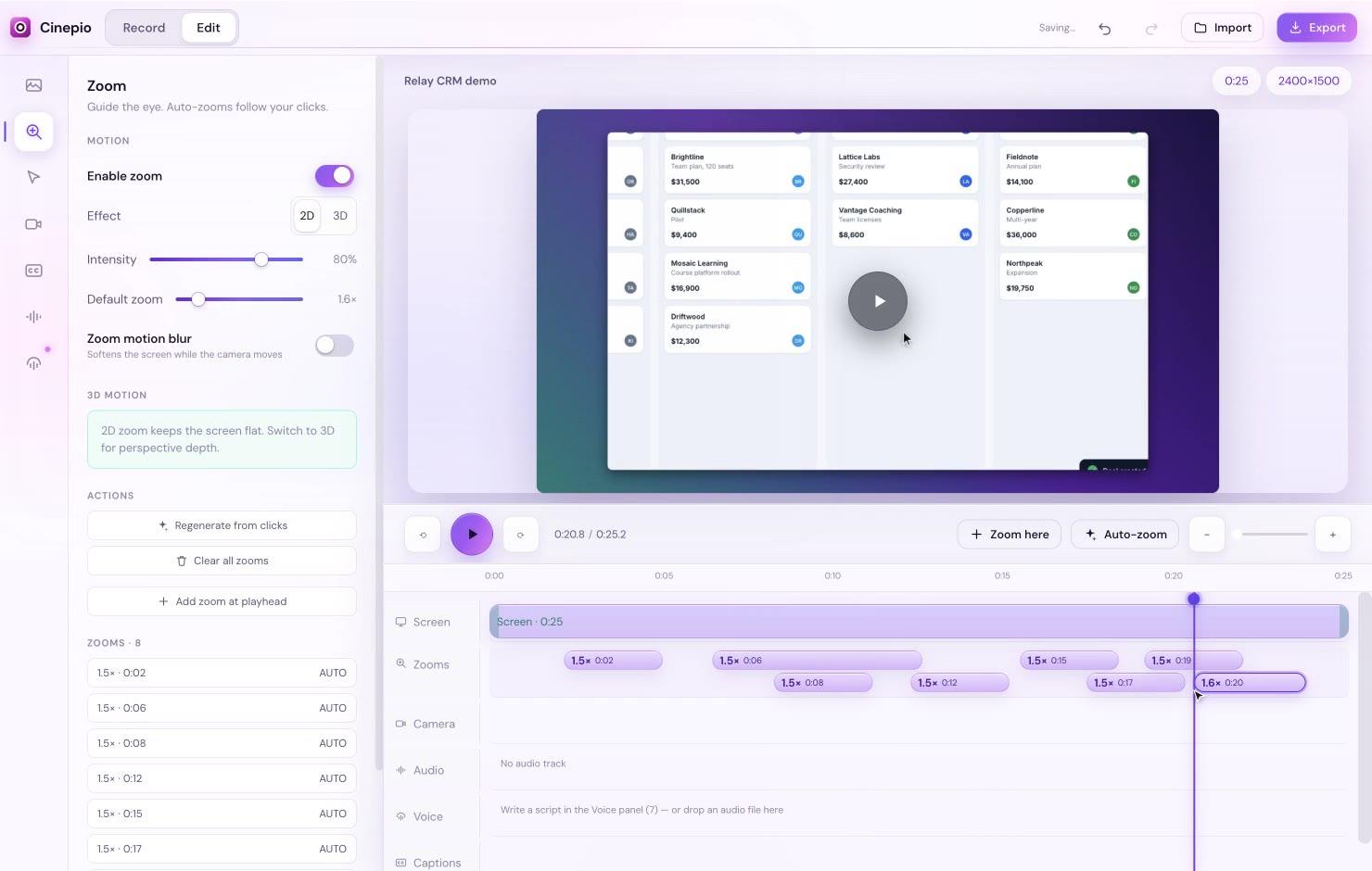
  • Everything snaps into place for you
  • Undo anything, or go back to an earlier version
  • Screen, camera, voice and captions all in one view
Cinepio: Easy editing
Dragging clips into place on the Cinepio timeline

05Captions and audio

Captions and clean audio, automatically.

Keep viewers watching, even with the sound off. And sound great when it's on.
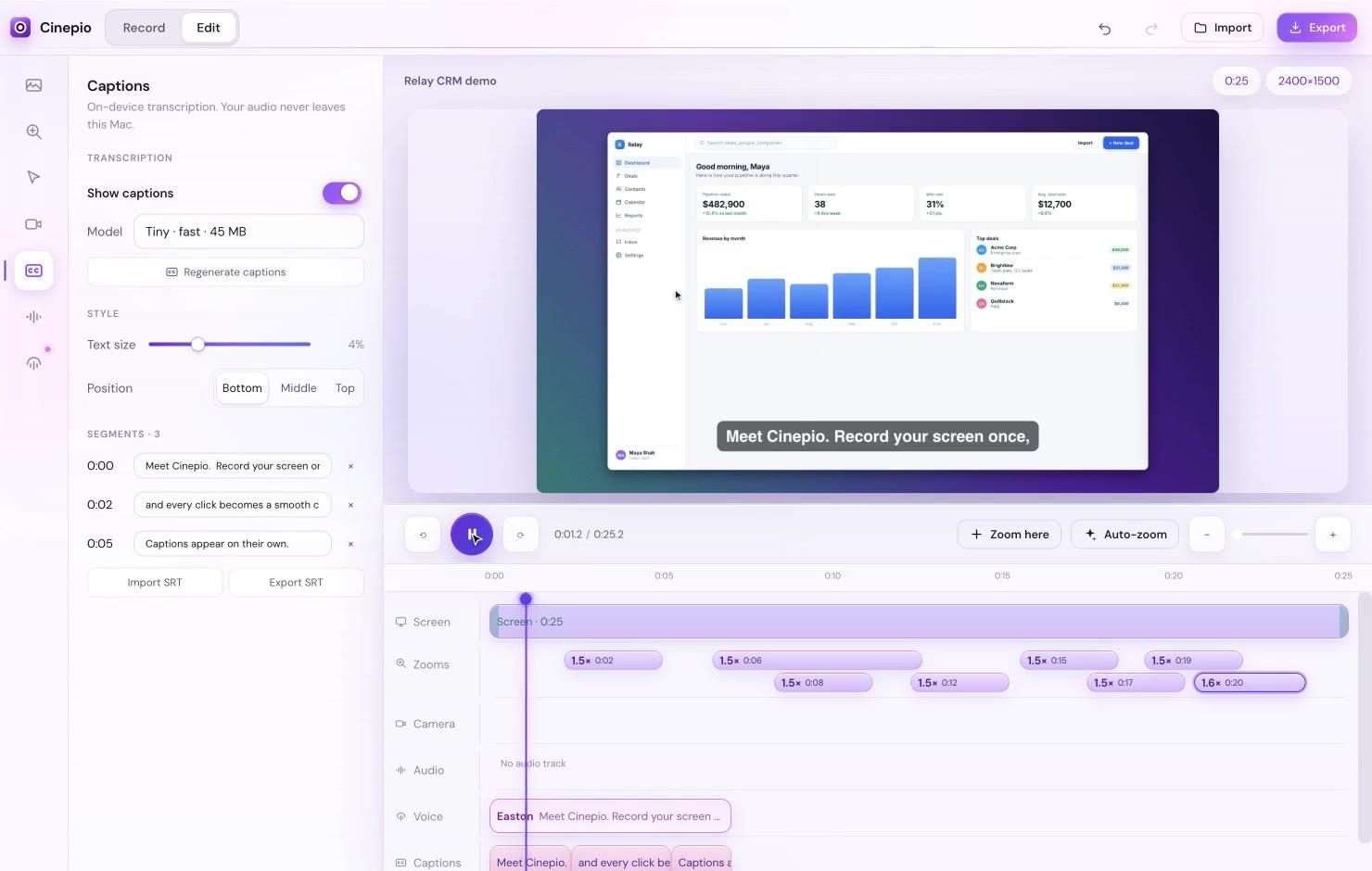
  • Captions written for you, easy to edit
  • Background noise removed in one click
  • Even volume from start to finish
Cinepio: Captions and audio
Cinepio adding captions to a video automatically

06Drag and drop

Bring your own clips, music and scripts.

Drop files in and Cinepio puts each one where it belongs.
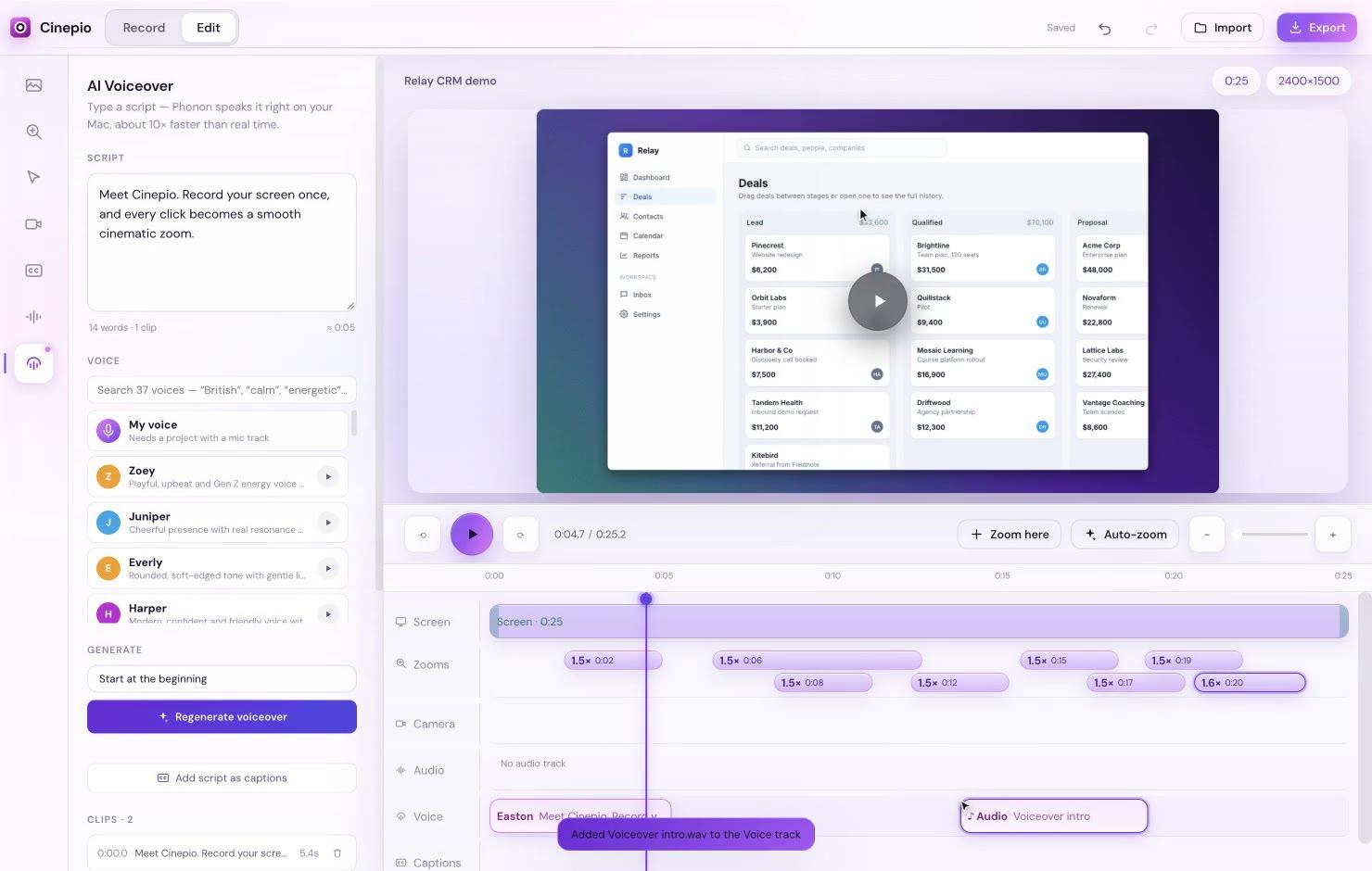
  • Drop in a video to start a new project
  • Add your own images, logos and music
  • Drop in a script or captions you already have
Cinepio: Drag and drop
Dropping videos, images and music into Cinepio

And more

The little things are done, too.

Small touches that make every video easier.

  • Record anything

    Full screen, one window or just an area.

  • Your phone, too

    Record a connected Android phone.

  • Crisp 4K export

    Sharp on every screen. No watermark.

  • Right size for every platform

    16:9, 9:16, 1:1 and 4:5.

  • Your brand look

    Save it once, reuse it on every video.

  • Nothing is lost

    Go back to any earlier edit.

  • Works offline

    No internet needed to record or edit.

  • Any modern Mac

    Intel or Apple chip, macOS 12 or later.

Privacy

Your videos stay yours.

Nothing gets uploaded. Record client work, unreleased products and private lessons with peace of mind.

  • Your videos never leave your computer
  • Captions and voices are made right on your Mac
  • Works offline, no internet needed
  • Safe for client work and private projects

Pricing

No subscription. No catch.

No monthly fees and no yearly renewals. One simple price, and it's yours.

Pay once. Yours forever.

Cinepio Pro, with everything included. No monthly bills.

$49one-time payment

  • License key delivered instantly
  • No watermark, ever
  • Works on any modern Mac
Get Cinepio

Secure checkout. Your license key arrives instantly.

What you get

  • Lifetime access
  • Every feature unlocked
  • Unlimited recordings and exports
  • All future updates free
  • No subscription, ever
  • No watermark
  • Use it on your Mac

FAQ

Questions, answered.

Something else? Email us.

Is it really a one-time payment?
Yes. You pay $49 once and Cinepio is yours for life. No subscription, no monthly fees, no surprise renewals.
Do I get future updates?
Yes. Every future update is included for free.
How many Macs can I use it on?
Your license covers the number of Macs in your plan. You'll see it with your license key.
Do I need editing skills?
Not at all. Cinepio does the editing for you while you record. If you want to change something, you can drag it into place in seconds.
Can I use it for YouTube, courses and client work?
Yes. Use your videos anywhere, including monetized YouTube channels, paid courses, client projects and sales pages.
Is there a watermark?
Never. Your videos are yours, with no logo or branding added.
What if it's not for me?
No problem. See our refund policy or email support@cinepio.com and we'll help.
What do I need to run it?
Any Mac from the last several years running macOS 12 or later, Intel or Apple chip.
Is my content private?
Yes. Your recordings stay on your computer and are never uploaded. Captions and AI voices are made right on your Mac.
How do I get my license key?
It appears right after checkout and we email it to you too. Open Cinepio, choose Activate license and paste it in.

Your next video can look like this.

Hit record. Cinepio makes it look like a pro edited it.

One-time payment · Lifetime access · Free updates